


We have made it easier than ever for you to manage and control your wholesale trading account with APE Medical. Wholesale Customers can now view and download invoices and statements, and make payments online through our self-serve customer portal.
Let us guide you through how to access the area and what can be done
How do I get to the Invoices and Statements portal?
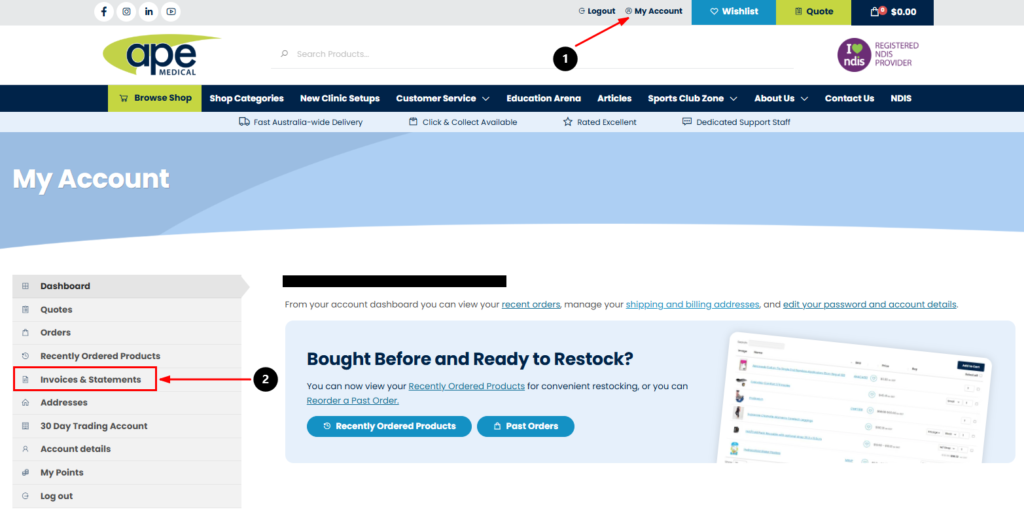
- Log in to Your wholesale Account with your credentials
- Go to “My Account” section of the website
- Click the Invoices & Statements on the left hand menu
What can I see on the portal?
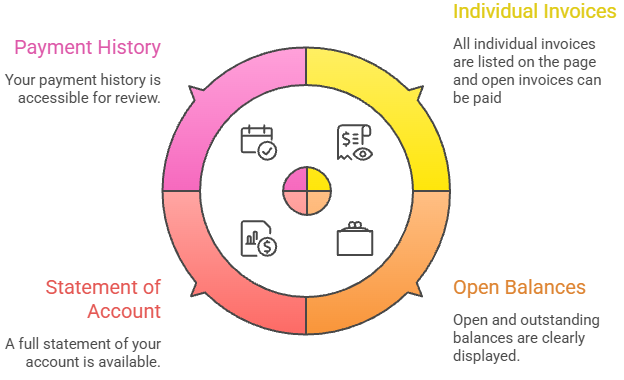
You get a full overview of your account including:
- All individual invoices
- Open and outstanding balances
- A full statement of account
- Your payment history
Everything is live and updated in real time.
Can I pay my invoices and account Online?
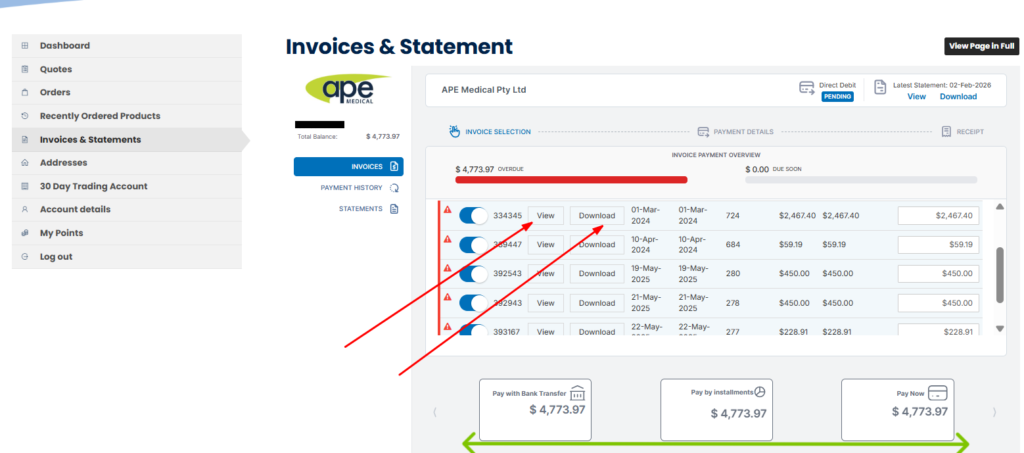
You can view, download and pay invoices directly from the portal. Paying for invoices is easy with the following options:
- Credit card
- Bank transfer
- Instalments (if applicable)
Simply select the invoices you’d like to pay and follow the prompts.
This allows you to:
- Make payments instantly
- Avoid missed or overdue invoices
- Keep your account up to date without needing to contact our team
Important Notes for Wholesale customers
For new wholesale accounts, please note:
- The invoices & statements portal will not be visible in the first 30 days
- Access becomes available after your first statement run
- This is typically around 30 days from account setup, depending on when in the month your account was created and orders were placed
Once your first statement has run, everything will automatically appear online.
Need Help?
If for any reason you have any of the following issues please contact us at info@apemedical.com.au:- You can’t see the Invoices & Statements tab
- Something doesn’t look right
- You’re unable to access your invoices online