
Saved Addresses
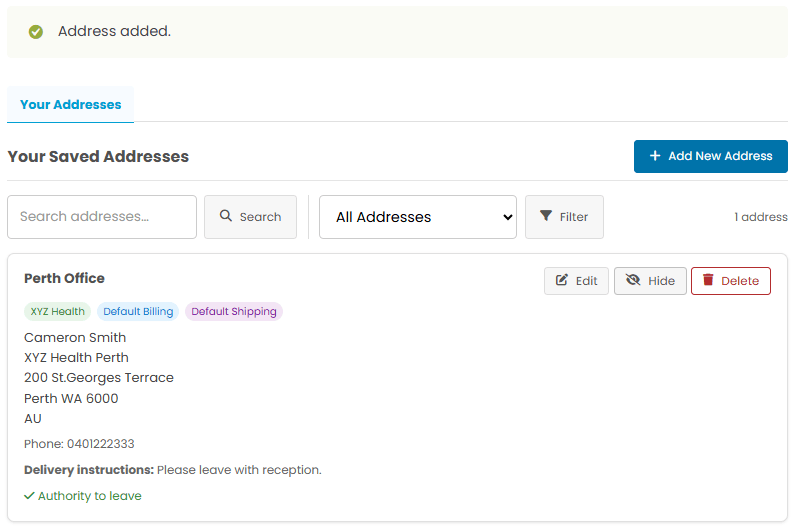
Store all your delivery addresses in one place. Label them, set defaults, and fill checkout in a single click.
Organisations
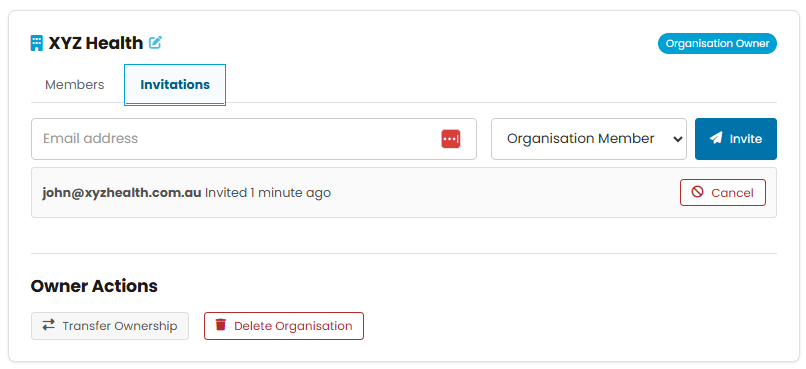
Share addresses across your whole team. Invite colleagues, assign roles, and keep everyone on the same page.




Save multiple addresses, share them with your team, and check out faster — every time.
Store all your delivery addresses in one place. Label them, set defaults, and fill checkout in a single click.
Share addresses across your whole team. Invite colleagues, assign roles, and keep everyone on the same page.
Store all your delivery addresses in one place. Label them, set defaults, and fill checkout in a single click.
Share addresses across your whole team. Invite colleagues, assign roles, and keep everyone on the same page.
Save as many addresses as you need — home, office, warehouse, a client site — and select them at checkout from a simple dropdown.
Find the Saved Addresses section in your account navigation.
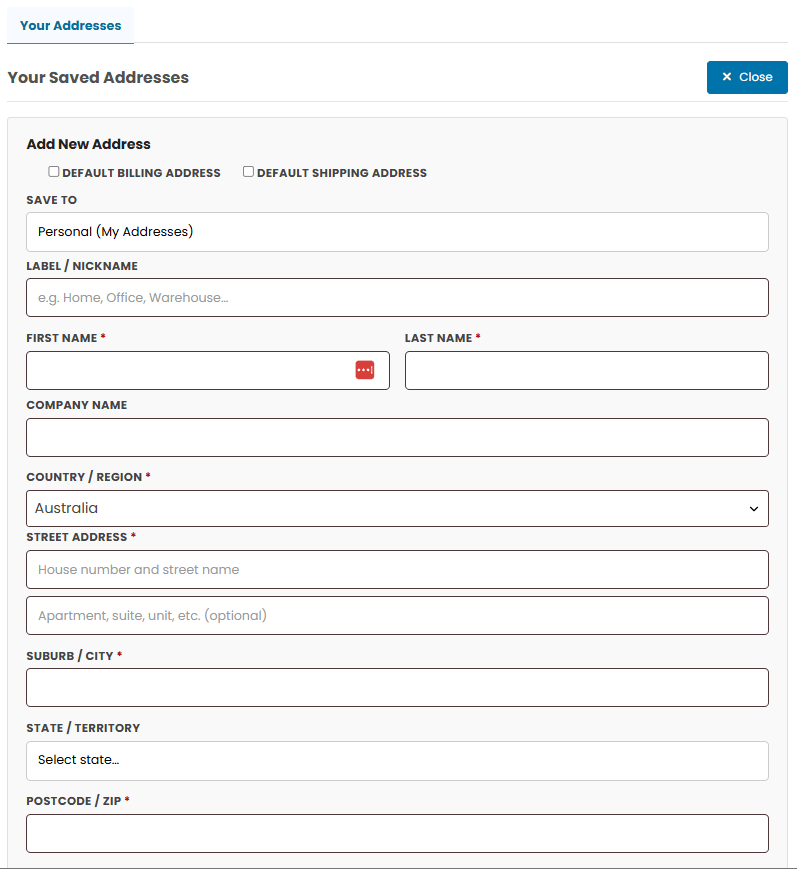
Fill in the address details and give it a label like Home, Office, or Gold Coast Warehouse so it’s easy to find later.
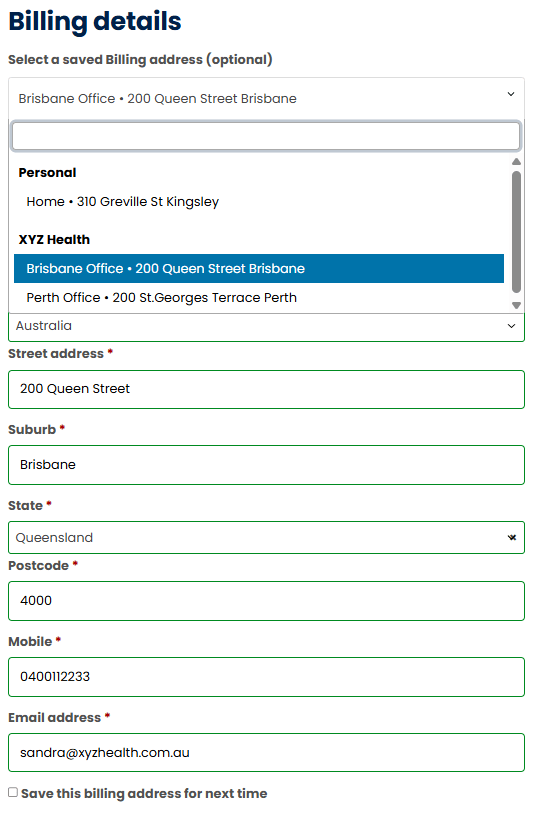
A dropdown appears at the top of the shipping and billing sections. Pick your saved address and the form fills automatically.
Perfect for businesses ordering on behalf of multiple locations, departments, or clients. Create an organisation, invite your team, and share addresses everyone can use at checkout.
Go to My Account → Organisations and click Create Organisation. Give it a name — usually your company or team name.
Enter a colleague’s email address and choose their role. They’ll receive an invitation email with a link to join.
When adding or editing an address, choose your organisation under “Save to”. It will appear for all organisation members at checkout, grouped under your organisation name.
Three roles give you the right level of control for every team member.
| Role | Use shared addresses at checkout | Add & edit shared addresses | Invite & manage members | Transfer / delete organisation |
|---|---|---|---|---|
| Owner | ✓ | ✓ | ✓ | ✓ |
| Manager | ✓ | ✓ | ✓ | — |
| Member | ✓ | — | — | — |
Once you have addresses saved, checking out takes seconds. Your personal and organisation addresses appear in a searchable dropdown right above the address form.
Type any part of an address, label, or organisation name to filter results instantly.
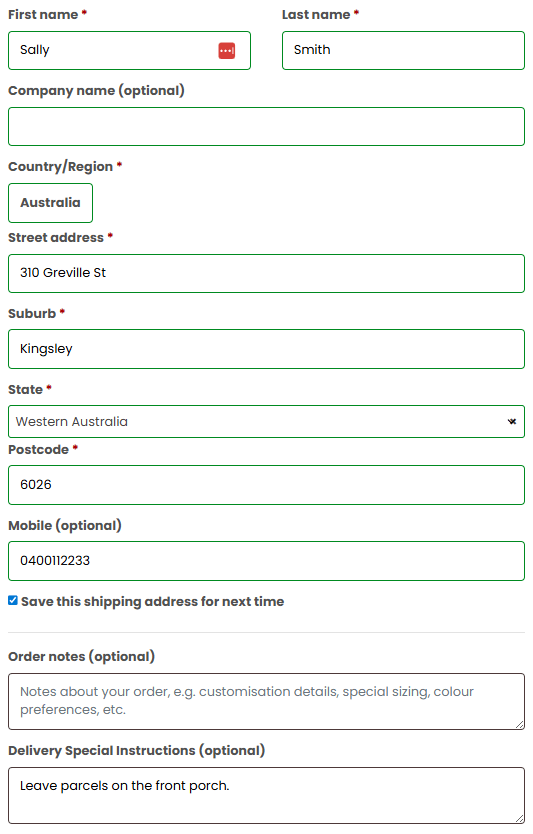
Selecting an address fills every field — name, street, suburb, state, postcode — in one click.
Tick "Save this address" to add any new address to your saved list without leaving checkout and without creating duplicates.
Head to your account and add your first address — it only takes a minute.
URL: https://www.apemedical.com.au/2026/05/19/saved-addresses-organisations